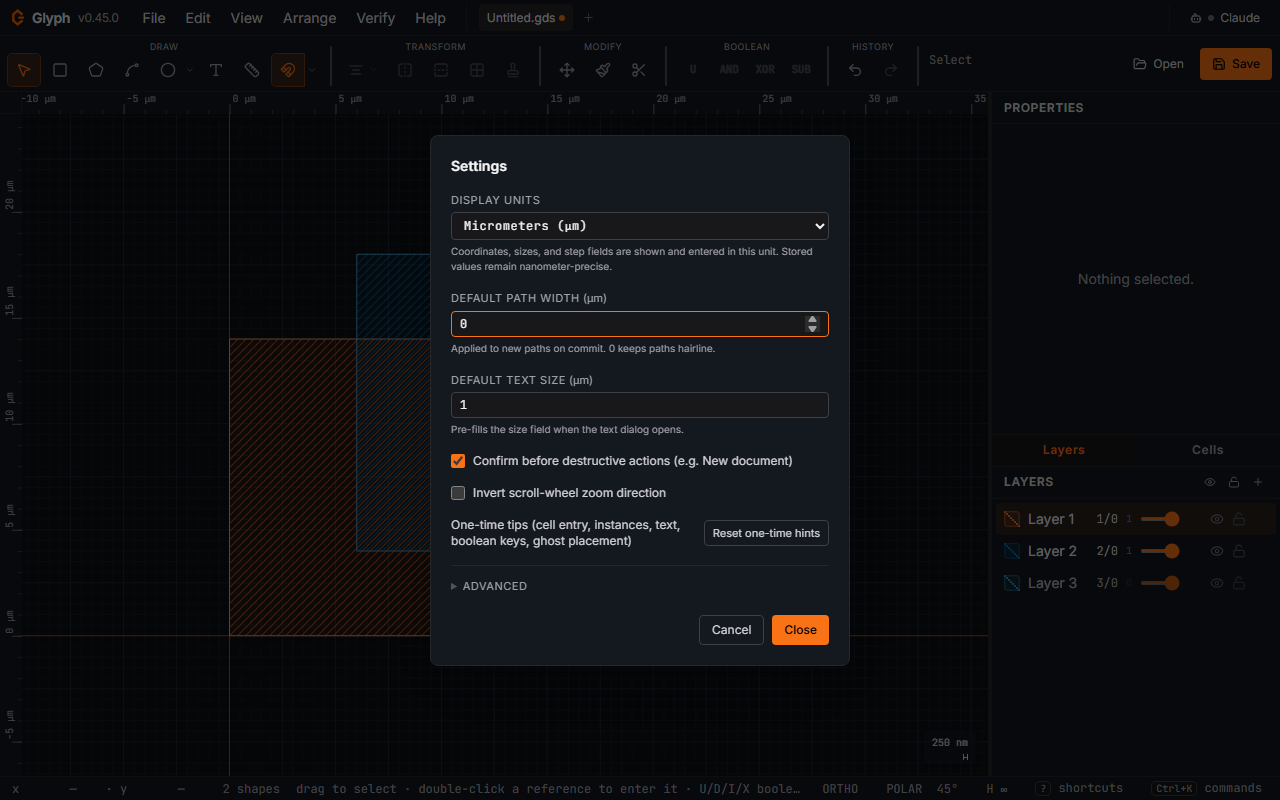
Settings (File → Setup → Settings…)
- Wheel behaviour (
auto/zoom/pan, defaultauto): what a plain wheel or trackpad scroll does on the canvas.autopans for a trackpad-shaped scroll (small pixel deltas, any horizontal component) and zooms for a mouse-shaped notch; Ctrl/Cmd+wheel (a pinch) always zooms. Forcezoomif your mouse is mis-read,panif your trackpad is (see View navigation). - Display units — the unit (nm / μm / mm) that coordinates, sizes, and step fields are shown and entered in. Stored values stay nanometer-precise regardless.
- Default path width — applied to new paths on commit. 0 keeps paths hairline.
- Size the first label to the view — on by default. The first label of a session is sized to the visible area; later labels follow the last size you used (see Fonts). Untick to always use the fixed default below.
- Default text size — pre-fills the size field when the Text dialog opens. Only used when "Size the first label to the view" is off.
- Confirm before destructive actions — ask before "New document" discards unsaved work, and before opening or dropping a file replaces a dirty tab's document (File I/O). A question with a red button (Remove, Delete, Replace, Apply preset…) opens with focus on a safe answer (Cancel, or Open in new tab), and so does a question that arrives while another is still open and replaces it.
Enternever answers with the red button unless you focused that button yourself (Tab to it): on the safe answerEntertakes the safe answer, and on the question's own text it does nothing. - Invert scroll-wheel zoom direction — flips which scroll direction zooms in.
- Heal CAD imports (close open contours, drop duplicate segments) — the default answer for the close-open-contours-and-heal pass described under Arrange → Close open contours…; on by default. The DWG and SVG import dialogs preset their own checkbox from it, but answer the dialog and it wins for that one file. DXF imports (no dialog) always follow this setting.
Under Advanced:
 View full image
- Grid density (target px) — the minor grid tries to stay near this pixel spacing as you zoom. Default 12 px; range 4–64. Smaller values give a denser grid.
- Sub-divide grid before it expands past target spacing — when on, a lighter sub-minor grid appears at 1/5 of the minor step whenever the minor step grows much coarser than the target. Keeps snap points visible at all zooms.
- Hierarchy depth — levels of nested cell references drawn in full; deeper instances render as outlines. −1 = unlimited (full fidelity). A big speed-up on dense IP blocks. Also cycled from the status bar (H), and reachable as five menu items under (Full / Boxes only / Top level only / One level more / One level less) — the same control without opening Settings. Those five are also what the KLayout keyboard preset's
*/0/1/+/-keys bind to (Keyboard reference appendix, below). - Auto-LOD threshold (px) — references whose on-screen bounding box is smaller than this collapse to a single outline regardless of depth. 0 disables auto-LOD. When an array or block instance is smaller than roughly this many pixels on screen it draws as a simplified outline rather than full detail; Glyph shows a one-time hint the first time an entire view collapses this way, explaining that zooming in restores detail — distinct from the Hierarchy depth limit above, which is a separate, user-set cap rather than a screen-size trigger.
- Arc / circle max chord deviation — hard ceiling on how far the flattened arc polyline may fall short of the true arc. Smaller = more vertices = smoother curve. 50 nm is a fab-friendly default.
- Min arc segments per quadrant — floor that prevents tiny circles from collapsing to two-vertex polygons even when the deviation budget would allow it.
(The snap step, and Snap to objects on or off, live in the toolbar's Snap settings popover; the polar-tracking angle step is set from the POLAR button in the status bar.)